I've spoken to quite a few small business owners over the years who've been sold on the idea of a custom-built CMS. The pitch is always compelling: something tailored specifically for their business, built exactly how they want it. No bloat. No compromise.
This article is part of my small business website guide.
In reality, most of them come to me a few years later with a problem. Their developer has moved on. The website can't be updated. They're paying through the nose for the most basic changes. And nobody else can touch the thing without starting from scratch.
A custom CMS sounds great in theory. In practice, for the vast majority of small and medium-sized businesses, it creates more problems than it solves. Here's why.
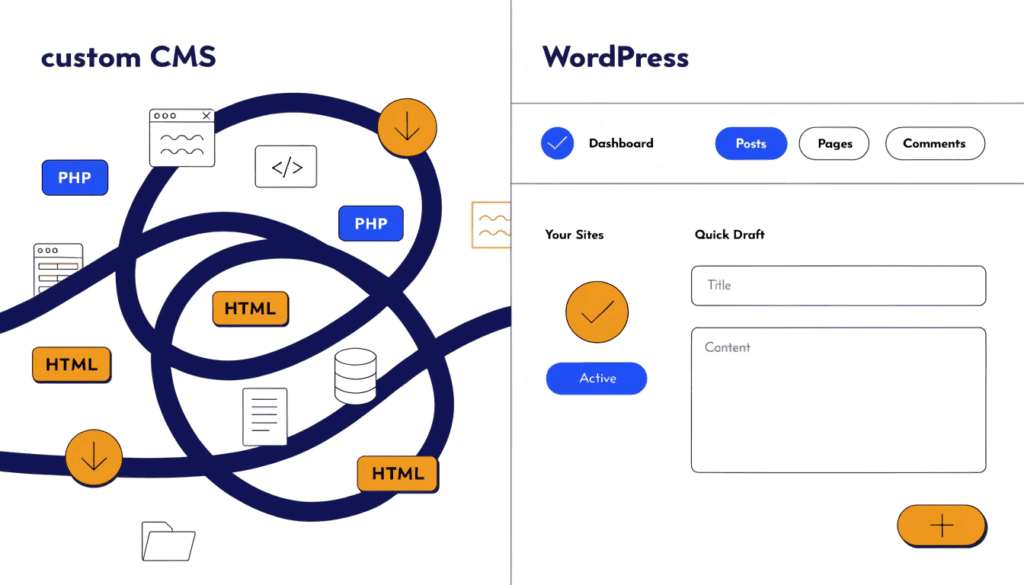
What Is a Custom CMS?
Before diving into why you should avoid one, it's worth clarifying what we're talking about. A custom CMS is a content management system built specifically for one business or website. Unlike open-source platforms such as WordPress, which are maintained by large communities of developers and used by millions of sites, a custom CMS is proprietary — written from the ground up, often by a single agency or developer, and owned by no one except whoever built it.
WordPress, by contrast, powers around 43% of all websites on the internet. That scale matters, and I'll come back to it.
The Hidden Cost Problem
The upfront quote for a custom CMS often looks reasonable. What's rarely mentioned is everything that comes after.
With an established platform like WordPress, the development community effectively subsidises your maintenance. Security patches, compatibility updates, and bug fixes are handled by thousands of contributors and released for free. You're not paying for any of that work.
With a custom CMS, you are. Every time a browser changes how it renders something, every time a security vulnerability is discovered, every time you want a new feature — you're paying a developer to write custom code from scratch. There's no shared cost. There's no community doing the heavy lifting for free.
That's before you factor in hosting. Custom CMSs frequently require specific server configurations that are more expensive than standard WordPress hosting, which is widely available and competitively priced.
The long-term cost of ownership is almost always higher than it appears at the outset. I've seen businesses that expected to pay a few hundred pounds a year in maintenance end up spending thousands, simply because everything requires bespoke development time.
Security Is Your Problem Alone
Security is where custom CMS solutions become genuinely dangerous for a business.
WordPress releases regular security updates backed by a global community of researchers actively hunting for vulnerabilities. When a threat is found, a patch is typically released quickly and deployed across millions of sites simultaneously.
A custom CMS has none of that. Your system isn't monitored by anyone except your developer, assuming they're still working with you. When a vulnerability is discovered — and vulnerabilities are always discovered eventually — someone has to write a custom fix, test it, and deploy it. That takes time. During that window, your site is exposed.
There's also the compliance angle. GDPR, data protection requirements, and evolving encryption standards don't stand still. Keeping a custom-built system compliant requires ongoing specialist input. Established platforms handle much of this as a matter of course. Custom systems require you to manage it all manually.
No Community Means No Safety Net
One of the most underrated advantages of a widely used CMS is the support ecosystem around it.
Have a WordPress problem? There are tutorials, forums, YouTube channels, documentation, Stack Overflow threads, and experienced freelancers available at a moment's notice, often for free. Whatever your issue, someone has almost certainly encountered it before and written up a solution.
A custom CMS gives you none of that. If something breaks, your only option is the developer who built it — assuming they're available, still in business, and willing to help. There's no community to fall back on. There's no documentation beyond what was written specifically for your system, if any was written at all.
This also affects the ecosystem of tools available to you. WordPress has over 60,000 plugins covering everything from booking systems to SEO to CRM integration. A custom CMS has whatever features were built into it originally, and anything else requires a developer to build from scratch.
You Become Dependent on One Developer
This is the trap I see businesses fall into most often, and it's the one that causes the most damage.
When your website is built on a custom CMS, you are functionally locked to the person or agency that built it. If they leave, raise their prices dramatically, go under, or simply stop returning your emails, you have a serious problem.
Custom systems typically have poor documentation, idiosyncratic architecture, and coding choices that only make sense to whoever wrote them. A new developer coming in fresh can spend weeks just understanding how the system works before they can make a single useful change. That time is billable. And even then, they may recommend rebuilding from scratch because the original code is too opaque or too fragile to safely modify.
I've spoken to business owners who've essentially had to rebuild their entire website because their original developer disappeared and nobody else could maintain the custom system they were left with. That's a five-figure problem that was entirely avoidable.
Scalability Becomes Expensive
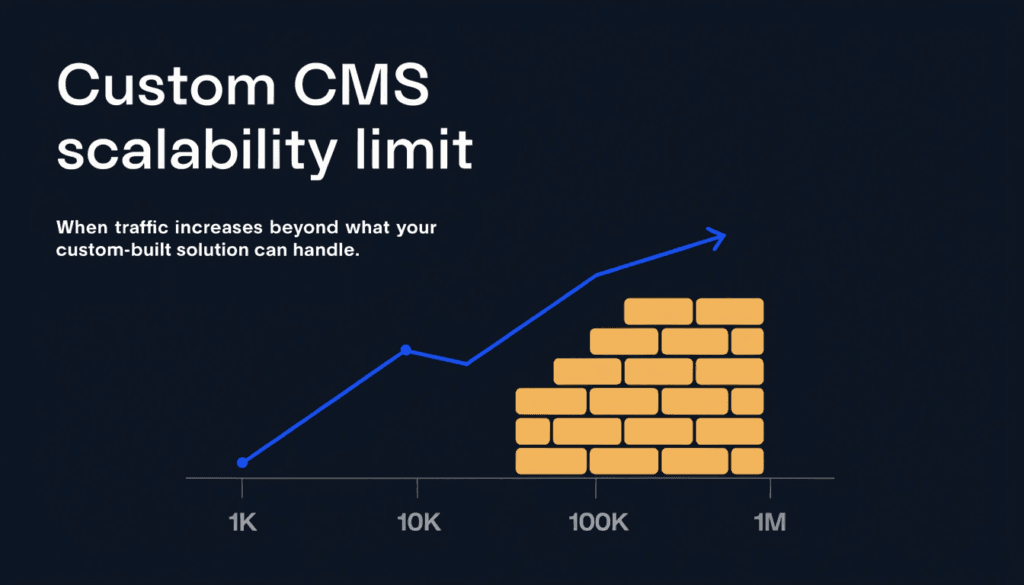
As your business grows, your website needs to grow with it. You might want to integrate with a new CRM, add an online booking system, connect to your email marketing platform, or improve your site's performance to handle more traffic.
With WordPress, most of these needs can be met with a plugin or a well-documented API integration. The solutions exist, they've been tested across thousands of sites, and they can typically be implemented in hours rather than days.
With a custom CMS, every integration is a development project. There are no off-the-shelf solutions. Every new tool, every new feature, every new marketing capability requires a developer to build custom connectors from scratch. The time and cost scales badly.
This also affects your SEO. Best practices in web design and modern SEO rely on fast implementation — deploying schema markup, adjusting page structures, implementing Core Web Vitals improvements. On an established CMS, much of this is handled by mature plugins. On a custom system, even simple technical SEO tasks can require development input.
What Small Businesses Should Use Instead
For the vast majority of small and medium-sized businesses, WordPress is the right choice. Here's why:
| Factor | Custom CMS | WordPress |
|---|---|---|
| Upfront cost | Higher | Lower |
| Long-term maintenance cost | High and unpredictable | Predictable |
| Security | Managed by your developer alone | Community-backed updates |
| Plugin ecosystem | None — everything built to order | 60,000+ plugins |
| Developer availability | Locked to original team | Thousands of qualified developers |
| Content editing | Depends on what was built | Intuitive and user-friendly |
| SEO tools | Limited | Mature plugins (e.g. SEOPress, Yoast) |
| Scalability | Expensive custom work | Straightforward via plugins and APIs |
There are genuinely valid use cases for custom platforms — large enterprises with unique workflow requirements, web applications with complex database logic, or businesses that truly need functionality well beyond a standard website. But for a service business, a trades company, a local retailer, or a professional firm? An established CMS almost always wins.
The real question isn't whether a custom CMS can be built to do what you need. Of course it can. The question is whether the long-term cost, risk, and dependency is worth it when a mature, widely supported platform can do the same job better, for less.
The Real-World Scenario You Need to Think About
Here's the question I ask every client who's considering a custom CMS: what happens if your developer isn't available next year?
It's not a hypothetical. Agencies close. Freelancers go full-time elsewhere. Developers move countries or change careers. If your website is built on a custom platform and your developer disappears, you could find yourself unable to update your site, fix a security issue, or add a new page without starting from scratch.
With WordPress, you can bring in any competent developer or agency at any time. The platform is standardised. The codebase is documented. The ecosystem is global. There's no single point of failure.
That resilience is worth a great deal — even if it's harder to quantify than a headline development cost.
Conclusion
A custom CMS might look like a bespoke solution. More often, it's an expensive trap: higher maintenance costs, weaker security, no community support, and a dangerous dependency on whoever built it.
For most businesses, the right approach is an established, open-source platform — built properly, with clean code, a good theme, and the right plugins for your needs. You get everything a custom system promises, without the risks that come with it.
If you're planning a new website and want to understand what's right for your business, get in touch and I'll give you a straightforward answer. And if you'd like to see how your current site is performing before we talk, run a free SEO audit — it takes under a minute.