Most small business owners don't think much about how their website actually works under the bonnet. You just want it to look good, load quickly, and turn visitors into enquiries. But if you've ever been quoted wildly different prices for a website, or been told your current site is "too basic", understanding the difference between a static and a dynamic website goes a long way towards making sense of it all.
This article is part of my small business website guide.
In this guide, I'll explain exactly what a dynamic website is, how it differs from a static one, when you need one, and what it means in practical terms for your business.
The Basics: What Makes a Website Dynamic?
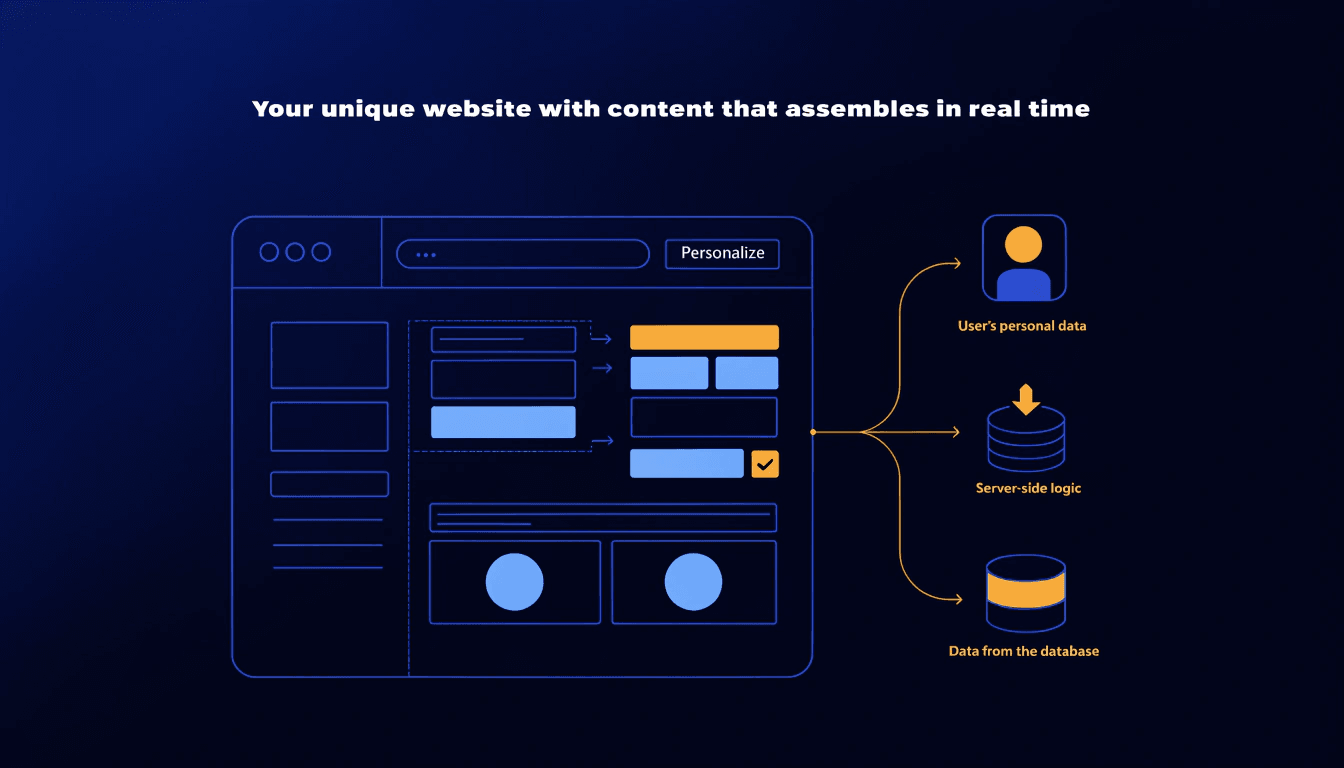
A dynamic website is one that generates its content in real time, on the fly, each time a visitor loads a page. Rather than serving up a fixed HTML file that looks identical for everyone, a dynamic site pulls information from a database and assembles the page based on who's asking, what they've done before, or what data is currently stored.
The word "dynamic" simply means it changes. It reacts to users, updates automatically, and can behave differently depending on context.
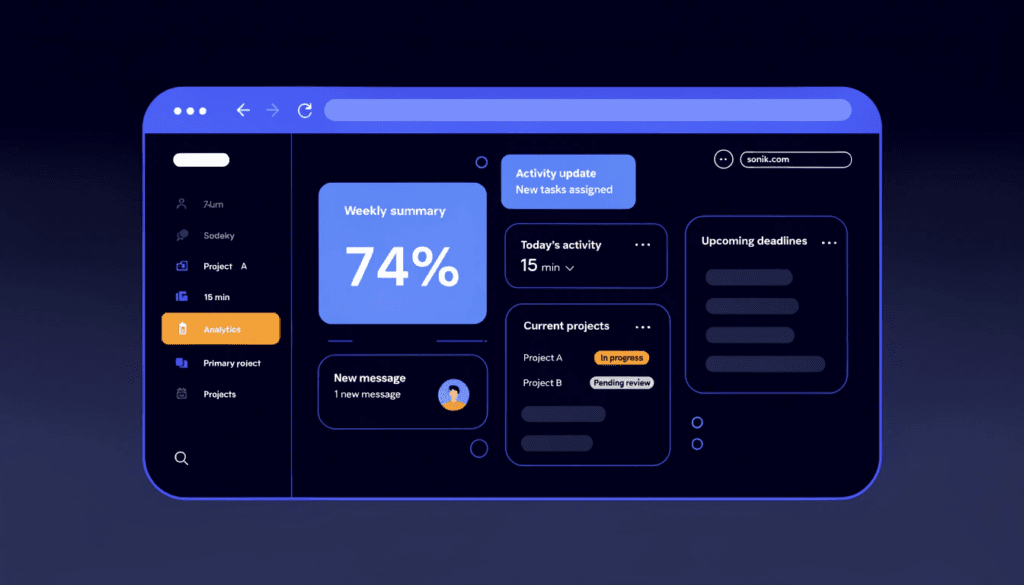
Think about the last time you logged into an online account: booking an appointment, checking an order, or updating your profile. The page you saw was built for you, using your data, at that exact moment. That's dynamic behaviour.
By contrast, a static website is one where every visitor sees exactly the same pre-built HTML files. The content doesn't change unless a developer goes in and manually edits the code. Static sites have their place, but they're limited in what they can do.
Static vs Dynamic Websites: What's the Difference?
Here's a straightforward comparison to make it easier to see which suits your situation:
| Feature | Static Website | Dynamic Website |
|---|---|---|
| Content | Fixed, same for every visitor | Changes based on user, time, or data |
| Updates | Requires manual code edits | Updated via a CMS or database |
| User accounts | Not possible | Fully supported |
| Cost to build | Lower | Higher, but more capable |
| Maintenance | Simpler | Requires ongoing technical attention |
| SEO potential | Fine for simple sites | Better for content-heavy or growing sites |
| Typical use | Brochure sites, portfolios | eCommerce, blogs, booking systems, directories |
| Examples | Small portfolio site | WordPress blog, Shopify store, booking platform |
Static sites are fine if your website is essentially a digital brochure: contact details, a list of services, maybe a couple of pages of information that rarely change. But if your business needs to accept bookings, run a blog, display live stock, personalise content, or let customers log in, you need a dynamic site.
How Does a Dynamic Website Actually Work?
Behind every dynamic website there are three layers working together:
1. The front end (what visitors see) This is the HTML, CSS, and JavaScript that appears in a browser. It renders the design, layout, and content.
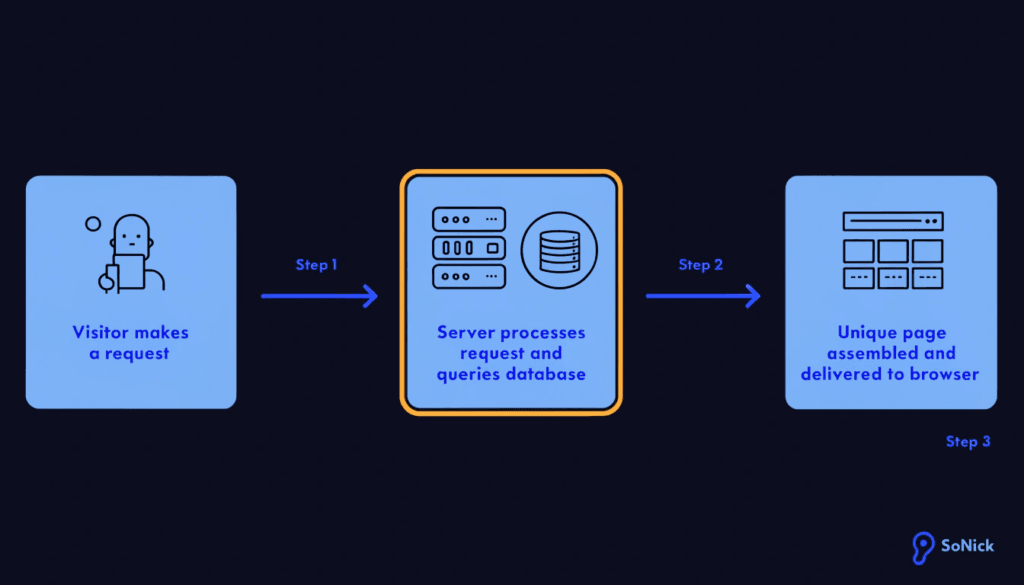
2. The server (the engine) When a visitor requests a page, the server receives that request and runs code (typically PHP, Python, or Node.js) to decide what content to retrieve and how to build the page.
3. The database (the storage layer) The database holds all the content: blog posts, product listings, user accounts, order histories, availability calendars, and anything else that needs to be stored and retrieved. The server queries the database and uses the result to build the page on the fly.
The whole process happens in a fraction of a second, so the visitor just sees a web page loading. But behind that simple experience, the server has assembled that page specifically for them.
Examples of Dynamic Websites You Already Use
You probably interact with dynamic websites every day without thinking about it. Here are some common examples:
WordPress websites with blogs. Every time someone visits a WordPress blog post, the server pulls the content from a database and assembles the page. If you update the post, every visitor immediately sees the new version, with no manual code editing required.
eCommerce stores. Platforms like Shopify or WooCommerce display live product listings, process transactions, manage stock levels, and handle customer accounts. None of that is possible with a static site.
Booking systems. If a salon, clinic, or tradesperson lets customers book appointments online, the availability shown is pulled from a live database and updates as slots are taken.
Social media platforms. Every feed you scroll is dynamically assembled from your network, your history, and real-time data. No two users see the same page.
Search engines. When you search on Google, the results are generated dynamically based on your query, location, and search history.
Most small business websites with a CMS (including WordPress) are already dynamic to some degree.
Do Small Businesses Need a Dynamic Website?
Not always, and that's worth being clear about. If your website is three or four pages and the content barely changes, a static site keeps things simple and affordable.
But the reality is that most small businesses benefit from at least some dynamic functionality, even if they don't realise it. Here are a few scenarios where a dynamic website makes a meaningful difference:
You publish a blog. Running a content strategy, which is one of the most effective ways to improve your search rankings, requires a CMS. A static site makes maintaining a blog painful and expensive.
You want to accept online bookings. If you're a tradesperson, therapist, salon owner, or any service business that takes appointments, dynamic functionality is what makes online booking possible.
You run an eCommerce store. Managing products, inventory, and checkout processes requires a database. Full stop.
You want to grow your SEO. Fresh, regularly updated content signals relevance to search engines. A dynamic CMS makes it easy to add that content without involving a developer every time.
You want to personalise the experience. Showing returning visitors different content, remembering preferences, or displaying location-specific information all require dynamic capabilities.
If any of the above applies to your business, a dynamic site isn't a luxury; it's a necessity. If you'd like to understand how your current site is performing, run a free SEO audit and I'll show you where there's room to improve.
The Benefits of a Dynamic Website for Your Business
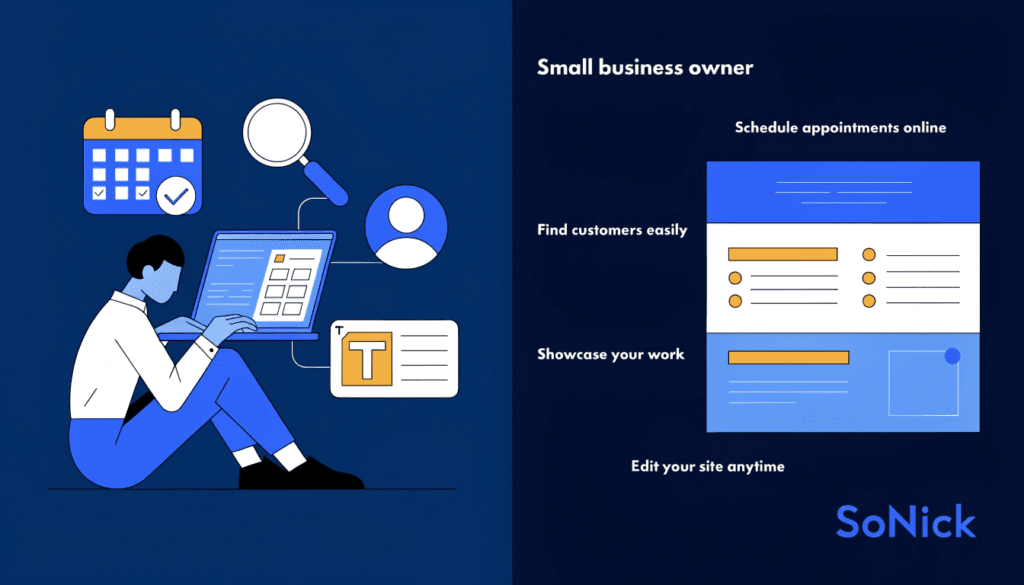
Easy content management. You or your team can update content, publish blog posts, and make changes without touching a line of code. Platforms like WordPress put content control firmly in your hands.
Better SEO performance. Search engines reward sites that publish fresh, relevant content consistently. A dynamic CMS makes it easy to build that content library over time, which in turn helps your site rank for more keywords and attract more organic traffic.
Scalability. As your business grows, a dynamic site grows with you. Adding new service pages, location pages, team members, or product listings is straightforward, without needing to rebuild the site from scratch each time.
User accounts and personalisation. Whether it's a customer portal, a members area, or simply remembering a visitor's preferences, dynamic sites make this possible in a way static sites simply cannot.
Online bookings and eCommerce. Any functionality that requires real-time data (availability, stock levels, payment processing) needs dynamic infrastructure behind it.
Analytics integration. Dynamic sites connect seamlessly with tools like Google Analytics 4 and Google Search Console, giving you detailed insights into what's working and where visitors are dropping off.
The Limitations to Be Aware Of
Being honest about the trade-offs matters. Dynamic websites do come with considerations worth understanding before you invest.
Higher development cost. Building a dynamic site requires more technical expertise than a simple static one. You'll typically pay more upfront for a well-built WordPress or eCommerce site.
More to maintain. A dynamic site has more moving parts: a database, server-side code, a CMS, and often multiple plugins or extensions. These need updating and occasionally troubleshooting.
Security considerations. Because dynamic sites process requests and store data, they need proper security practices: strong passwords, regular updates, SSL certificates, and ideally a security plugin or managed hosting.
Potentially slower if poorly built. A dynamic site that hasn't been optimised for performance can be slower than a well-built static site. Good hosting, caching, and image optimisation are essential.
None of these are reasons to avoid a dynamic website if your business needs one. They're simply reasons to work with someone who builds them properly. If you're weighing up your options, take a look at our web design service to see how I approach building sites that are fast, secure, and built to convert.
What Platform Should You Use?
For most small businesses, the answer is WordPress. It powers around 43% of all websites on the internet and has a vast ecosystem of themes, plugins, and developers. It's flexible enough to handle everything from a simple five-page business site to a complex eCommerce store.
Other options worth knowing about:
Shopify. If you're primarily running an online shop, Shopify is purpose-built for eCommerce and handles the technical complexity of payments, stock, and fulfilment well.
Wix and Squarespace. These are simpler drag-and-drop platforms that offer dynamic functionality out of the box and are fine for smaller, less complex sites. They're less flexible than WordPress but easier to manage independently.
Custom builds. For businesses with genuinely complex requirements such as large-scale directories, bespoke booking systems, or custom portals, a developer-built solution using frameworks like Laravel or Next.js may be appropriate.
For the vast majority of small businesses I work with, WordPress hits the right balance between power, flexibility, and long-term maintainability. You can read more about the advantages of the platform in my post on why WordPress is the right choice for small business websites.
Frequently Asked Questions
Is WordPress a dynamic website? Yes. WordPress is a CMS that generates pages dynamically using PHP and a MySQL database. Every page you see on a WordPress site is assembled on the server in response to your request, though caching tools can make it behave more like a static site for performance reasons.
Can a static website be converted into a dynamic one? Yes, though it's often easier to rebuild than to convert. The process involves adding a CMS, database, and server-side scripting. Depending on the complexity of the original site, migration can be straightforward or quite involved.
Are dynamic websites harder to rank on Google? Not at all. If anything, they're better suited to SEO, because a CMS makes it easy to publish and update content consistently. That said, performance matters: a slow, bloated dynamic site will be harder to rank than a fast, well-built one.
What's the difference between a CMS and a dynamic website? A CMS (content management system) is the tool you use to manage the content on a dynamic website. Most dynamic websites for small businesses are built on a CMS like WordPress. The two terms are often used interchangeably in practice.
Do I need a developer to maintain a dynamic website? For day-to-day content updates such as publishing posts, updating service pages, and adding images, no. That's what the CMS is for. For technical tasks like plugin updates, security patches, or performance optimisation, it helps to have a developer on hand or to pay for managed hosting.
Conclusion
A dynamic website isn't a nice-to-have for most modern small businesses. It's the foundation that makes everything else possible. Whether you want to publish content that improves your search rankings, accept online bookings, or simply update your own site without calling a developer each time, dynamic functionality is what makes that happen.
The platform you choose matters, and so does how well it's built. A poorly configured WordPress site can be slow, insecure, and frustrating. A well-built one is a genuine business asset that works for you around the clock.
If you're not sure whether your current website is set up to support your business goals, run a free SEO audit and I'll flag exactly where the gaps are. Or if you're ready to build something properly, get in touch and let's talk through what your site needs to do.