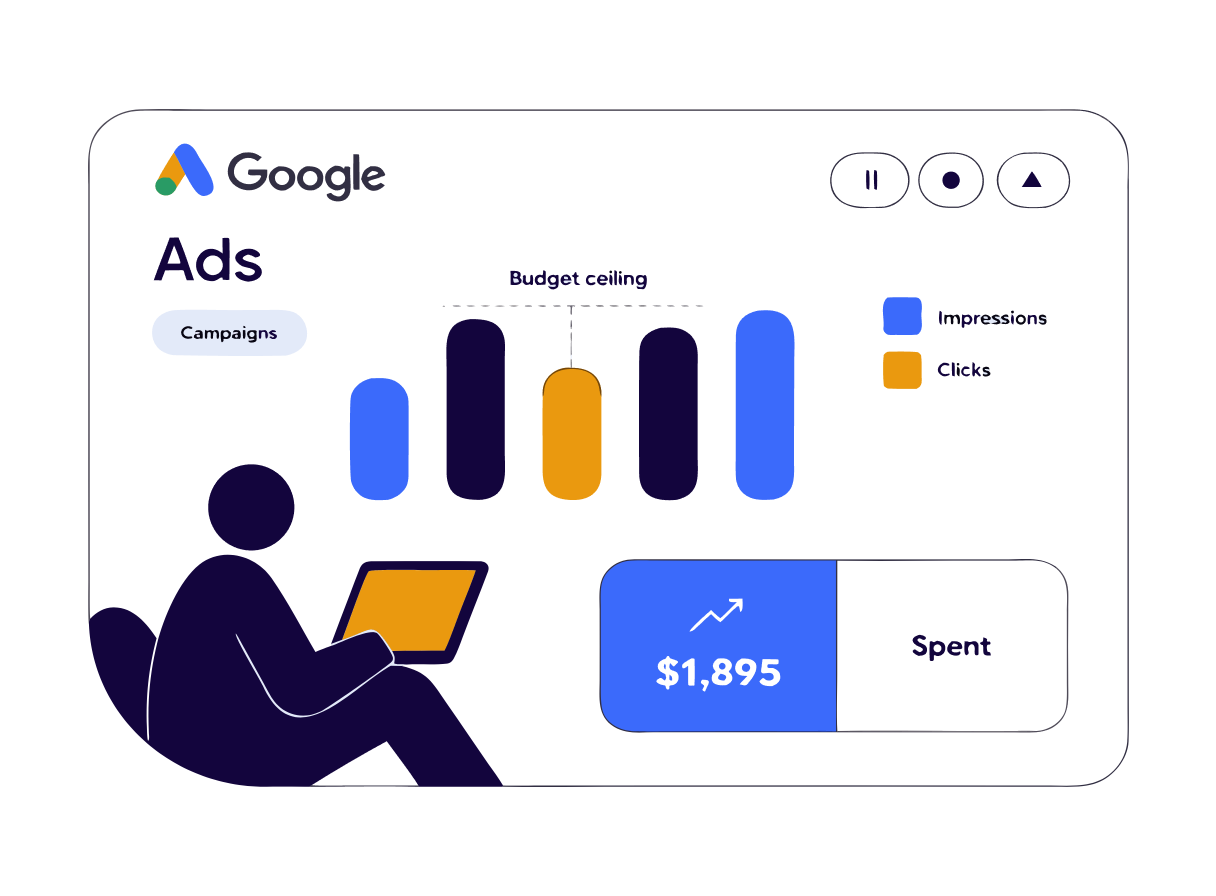
If you've ever opened your Google Ads account and seen a column called "Search Lost IS (Budget)" sitting at 30%, 40%, or higher, you've found one of the clearest, most fixable problems in the whole platform. It's telling you, in plain terms, that your ads are good enough to show more often, and your budget is the only thing stopping them.
I've audited more small business Google Ads accounts than I can count over the years, and this is one of the first columns I check. Unlike most Google Ads metrics, which need interpretation and context, Search Lost IS (Budget) tells you exactly what's wrong and exactly what fixes it. There's no guessing.
Here's what the metric means, why it matters more than most business owners realise, and a free calculator below that works out the daily budget you'd need to stop losing impressions to it.
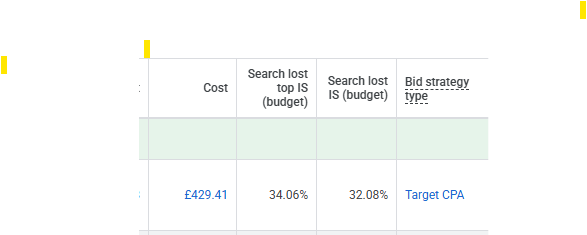
What Search Lost IS (Budget) actually means
Every time someone searches for a term your keywords are set up to target, Google runs an auction to decide which ads appear. Your ad is "eligible" to enter that auction based on your keywords, targeting, and match types. Search Lost IS (Budget) is the percentage of those eligible auctions your ad didn't enter at all, purely because your daily budget had already run out or Google predicted it would run out before the day ended.
It's calculated like this:
Search Lost IS (Budget) = Impressions lost due to budget ÷ Total eligible impressions
So if your campaign was eligible to show 10,000 times in a day but only appeared 7,000 times because the budget ran dry, your Search Lost IS (Budget) is 30%. That's not a ranking problem, a relevance problem, or a bidding problem. It's simply that Google wanted to show your ad more often than your budget allowed.
This is different from Search Lost IS (Rank), which is the percentage of auctions you lost because your Ad Rank (a combination of bid, Quality Score, and expected ad impact) wasn't competitive enough. Budget and Rank are the two ways you can lose impression share, and they need completely different fixes. I'll come back to that distinction, because it matters for how you read your own numbers.
Where to find it in your account
Search Lost IS (Budget) doesn't show by default. To see it:
- Open the Campaigns view in Google Ads.
- Click the Columns icon above the campaign table.
- Choose Modify columns.
- Under Competitive metrics, tick Search Lost IS (budget), Search Lost IS (rank), and Search impr. share while you're there.
- Apply, and the columns will appear on your campaign table.
It's measured at the campaign level and only applies to Search campaigns, not Display, Video, or Shopping, which use their own separate impression share metrics.
Why this metric matters more than it looks
A lot of small business owners see a healthy-looking cost per click and a reasonable number of leads coming in and assume the account is doing fine. Search Lost IS (Budget) is the metric that shows you what you're not seeing: the customers who searched for exactly what you offer, at the exact moment they wanted it, and never saw your ad because the budget had already gone for the day.
If your Lost IS (Budget) is sitting at 40%, that means for every 10 people who searched a term you're bidding on, 4 of them never had the chance to click your ad. Not because a competitor beat you. Not because your ad wasn't good enough. Because the budget switched off before their search happened, often in the afternoon or evening, which tends to be when trades and local service searches spike.
This is also, in my experience, one of the most common reasons a Google Ads account "stops working" after a strong first few weeks. The account performs brilliantly on a small budget because Google is showing your ads to the very best-matched searches first. As your account matures and Google gathers more data, it recognises more searches as good matches, competes for more of them, and the same daily budget that used to cover the whole day now runs out by lunchtime. Lost IS (Budget) creeps up, and unless someone's watching for it, nobody notices until enquiries start drying up.
The formula for fixing it
The good news is that Lost IS (Budget) is genuinely simple maths, not a guessing game. Google itself effectively tells you the answer inside the metric.
New daily budget = Current spend ÷ (1 − Lost IS (Budget) as a decimal)
So if you're currently spending £50 a day and your Search Lost IS (Budget) is 25%, the calculation is:
£50 ÷ (1 − 0.25) = £50 ÷ 0.75 = £66.67
That's the daily budget that would let your campaign capture close to 100% of its eligible impressions, assuming nothing else about the account changes. It's the same principle marketing analysts call "spend to maximise impression share," and it's the formula behind most impression share calculators you'll find online, including the one below.
Impression share budget calculator
Rather than doing that maths by hand every time, I built this calculator to do it for you. Enter your current daily budget and your Search Lost IS (Budget) and Search Lost IS (Rank) percentages from your own Google Ads account (found using the steps above), along with your current CTR and average CPC, and it will work out your recommended new daily budget along with roughly how many extra impressions and clicks that budget would unlock, based on your current performance.
Impression share budget calculator
Enter your Google Ads numbers below to see the daily budget you would need to stop losing impression share to budget.
Recommended daily budget
£66.67
Extra clicks per day
+14
Extra impressions per day
+233
Figures are estimates based on your current click-through rate and cost per click staying constant as spend increases. Real-world results vary by auction competition and seasonality.
Why the calculator also checks Lost IS (Rank)
I built the warning into the calculator deliberately, because increasing budget is only ever half the picture. If your Search Lost IS (Rank) is also high, typically above 10%, then a chunk of your missing impression share has nothing to do with money. It's because your Ad Rank, which combines your bid, Quality Score, and expected ad impact, isn't strong enough to win the auction in the first place.
Raising your budget in that situation still helps, because it fixes the portion of lost share caused by running out of money. But it won't touch the portion lost to rank. You'll spend more and still see a ceiling on your impression share, which is a frustrating and expensive way to find out you had two problems, not one.
If your calculator result shows a rank warning, the practical next step is improving Quality Score, ad relevance, and landing page experience rather than pushing more budget at a rank problem. I've written a companion piece specifically on that, Search Lost IS (Rank): Why Budget Alone Won't Fix It, which walks through exactly what to check.
When to actually act on this metric
Search Lost IS (Budget) is useful, but it's not automatically a red flag. A few things worth checking before you increase spend:
- Is the campaign converting profitably at its current spend? If your cost per lead is comfortably under what a new customer is worth to you, more budget capturing more of the same quality traffic is close to a risk-free decision. If the campaign is barely breaking even, solve profitability first, then revisit budget.
- Is the lost share concentrated on your best-performing keywords or a handful of low-value ones? Break the data down by keyword or ad group before increasing the whole campaign's budget. Sometimes the fix is reallocating existing spend away from underperforming keywords rather than adding new spend altogether.
- Is this a genuinely high-intent campaign? Branded search terms and bottom-of-funnel keywords (someone searching "emergency plumber [town]" rather than "plumbing tips") are usually worth chasing hard on impression share. Broader, top-of-funnel terms are more forgiving if you're not capturing every single auction.
I hold a Google Ads Search certification, and this is genuinely one of the first three or four things I check on any new small business PPC account I take on. It's rare that a healthy, profitable campaign has significant Lost IS (Budget) sitting untouched, it's usually either an account nobody's actively managing, or a genuinely great opportunity that's simply been capped too low.
Frequently asked questions
Is Search Lost IS (Budget) the same across every campaign type? No. It only applies to Search campaigns. Display, Video, Shopping, and Performance Max use different impression share metrics with their own logic, so this specific column and formula are Search-only.
What's a "good" Search Lost IS (Budget) figure? Close to 0% is ideal for high-intent campaigns you want to dominate, but it's not a universal target. Some campaigns are deliberately capped because the extra spend wouldn't be profitable, in which case a bit of lost share is a sensible trade-off, not a problem to eliminate.
Will raising my budget guarantee more leads? It should unlock more impressions and clicks at your current CTR, assuming Google has more eligible auctions to enter. Whether that translates into proportionally more leads depends on your landing page, offer, and how well the extra traffic converts, which is a separate question from impression share.
Can I reduce Lost IS (Budget) without spending more? To some extent, yes. Pausing or reducing bids on low-value keywords frees up budget for your best-performing ones, which can lower Lost IS (Budget) on the keywords that matter most without increasing your total spend.
If your account is showing high Lost IS (Budget) alongside a healthy conversion rate, that's genuinely one of the clearest "spend more here, it's working" signals Google Ads gives you. If you'd like a second pair of eyes on what your account's numbers are actually telling you, get in touch and I'll take a look, or explore Google Ads management if you'd rather hand the day-to-day optimisation over entirely.