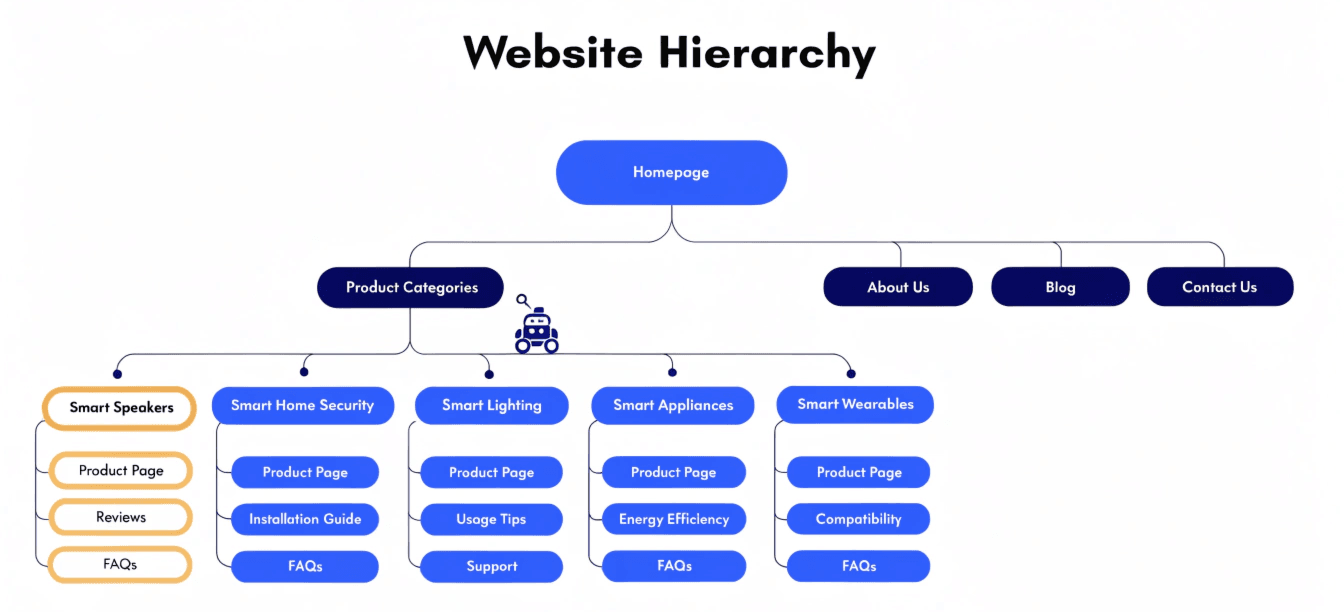
Google doesn't browse your website the way a human does. It sends automated crawlers that follow links, hop between pages, and decide what's worth indexing — and what isn't. If your site is new, thinly linked, or growing quickly, there's a real chance some of your most important pages never get found at all.
That's the problem a sitemap solves. And yet most small business owners either set one up and forget about it, or don't realise they have a say in what goes into it. Done well, your sitemap is one of the simplest levers you can pull to help Google find, understand, and rank your content.
Here's everything you need to know — in plain English.
What Is a Sitemap?
A sitemap is a file that lists the important pages on your website and tells search engines how they relate to each other. Think of it as a guided tour you hand to Google rather than leaving it to wander around on its own.
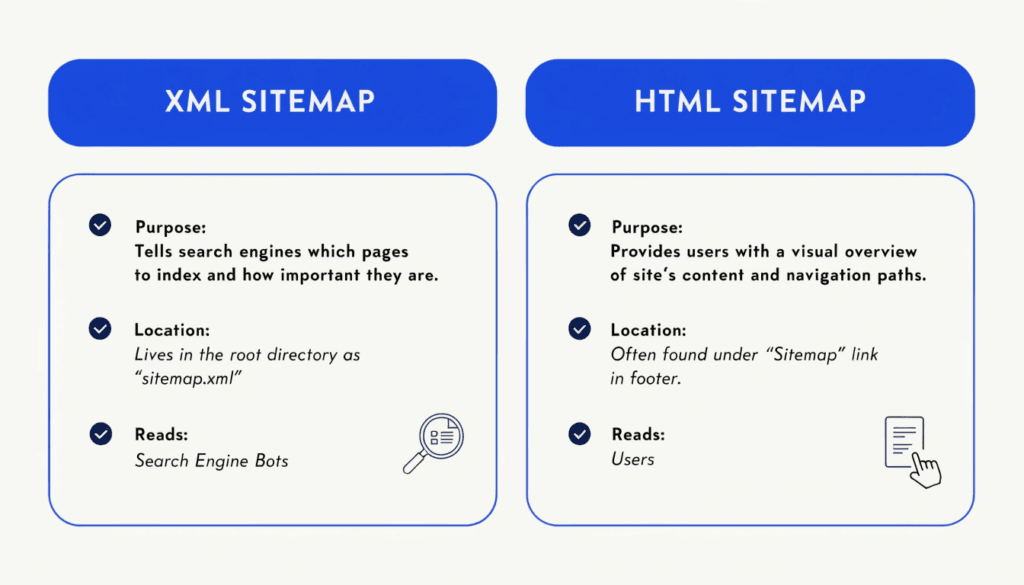
There are two distinct types, and they serve different audiences:
XML sitemaps are for search engines. They're a structured list of URLs in a format Google and Bing can read and process automatically. You won't see this file when you browse your site — it lives in the background, usually at yourdomain.com/sitemap.xml or yourdomain.com/sitemap_index.xml.
HTML sitemaps are for people. They're a visible page on your site (typically linked in the footer) that maps out your content in a way humans can scan and navigate. They're useful for accessibility and can offer a modest SEO benefit by creating additional internal links across your site.
Most businesses need both, but the XML sitemap is the one that does the heavy SEO lifting.
Why Your Sitemap Matters for SEO
It helps Google find pages it might otherwise miss
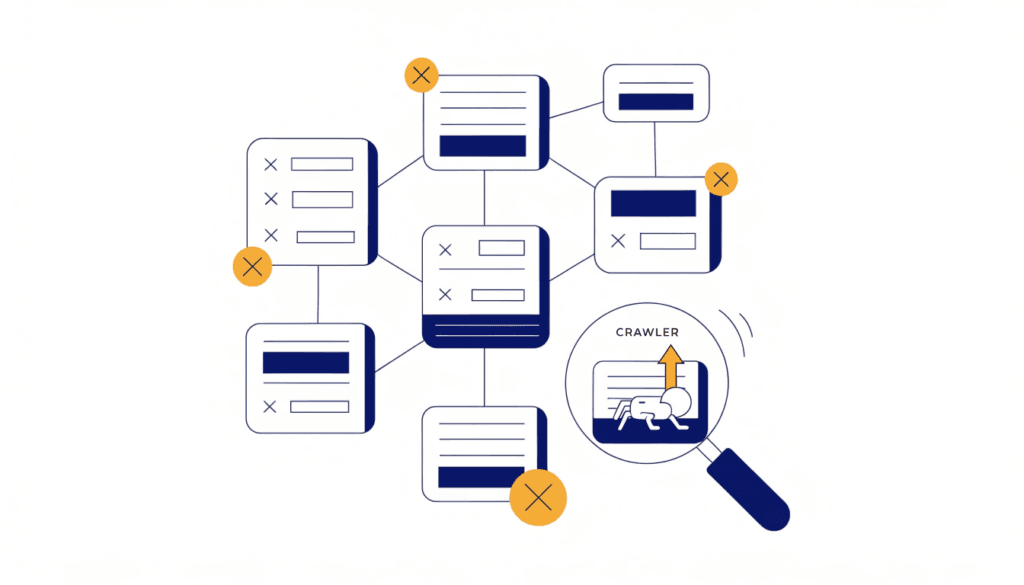
Search engines discover pages primarily by following links. If a page isn't linked from anywhere else on your site — what's known as an orphan page — Google may never find it. Your sitemap acts as a safety net, ensuring every important page is discoverable regardless of how well it's linked internally.
It speeds up indexing
When you publish a new service page or blog post, it can take days or even weeks for Google to find it through normal crawling. Submitting an XML sitemap — and keeping it up to date — signals to Google that new content exists, speeding up the discovery process. For local businesses adding regular content like area pages or seasonal promotions, this matters.
It helps manage your crawl budget
Google doesn't crawl every page of every site every day. It allocates a crawl budget, and on larger sites, low-value pages can eat into it. A clean sitemap that only includes your best, indexable pages helps Google spend its crawl time on content that actually matters.
It supports AI-powered search
This is newer territory, but increasingly relevant. AI-driven search features — including Google's AI Overviews — rely on content being discoverable and up to date. The lastmod tag in your XML sitemap signals when pages were last updated, which helps search engines prioritise fresh content. It won't guarantee your pages appear in AI-generated answers, but it removes a barrier.
Sitemap Types Worth Knowing About
Beyond XML and HTML, there are a few specialist formats worth being aware of:
Image sitemaps help Google discover and index images on your site — particularly useful if you're a salon, photographer, or any business where visuals drive enquiries.
Video sitemaps allow you to provide metadata about video content, including running time and description, helping it appear in video search results.
News sitemaps are for publishers approved by Google News. Most small businesses don't need this.
You don't need to create these separately in most cases — SEO plugins handle it automatically.
What to Include in Your Sitemap — and What to Leave Out
This is where most businesses get it wrong. Your sitemap isn't a complete inventory of your site — it's a curated list of the pages you want Google to index.
Include:
- Homepage
- Service pages
- Location or service area pages
- Blog posts and articles
- About and Contact pages
- Landing pages you want to rank
Exclude:
- Pages with a
noindextag — including these creates a conflicting signal: you're telling Google to index a page while also telling it not to. This is one of the most common sitemap errors. - Redirect or broken pages (301s, 302s, 404s)
- Duplicate or near-duplicate content
- Paginated or filtered URLs (e.g.
/blog/page/2/) - Utility pages — cart, checkout, login, thank-you pages
- URL parameters and tracking strings (e.g.
?utm_source=…) - Password-protected content
The principle is simple: if you wouldn't want Google to rank a page, don't put it in your sitemap.
How to Create and Submit a Sitemap
If you're using WordPress, creating a sitemap is straightforward with an SEO plugin. I use SEOPress on the sites I build and manage — it automatically generates and maintains your sitemap, organises it by content type, and keeps it updated every time you publish or update content. Rank Math and Yoast work just as well if you're already using one of those.
Once your sitemap is active, you'll find it at a URL like yourdomain.com/sitemap_index.xml. The next step is to submit it to Google.
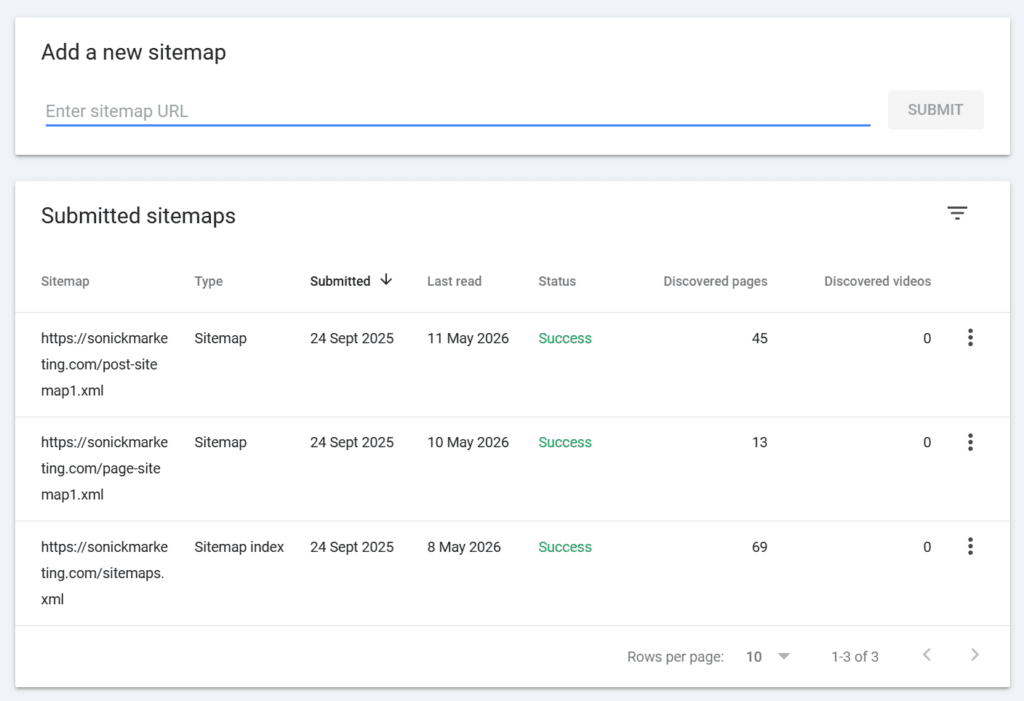
Submitting to Google Search Console:
- Sign in to Google Search Console
- Select your property
- Click Sitemaps in the left-hand menu
- Enter your sitemap URL
- Click Submit
You only need to do this once. Google will revisit your sitemap periodically to pick up changes. You should also submit to Bing Webmaster Tools using the same process.
After submission, Search Console will show you how many URLs Google has discovered from your sitemap versus how many it's actually indexed. If there's a significant gap, that's a sign something needs investigating — pages may be blocked, duplicated, or considered low quality.
Common Sitemap Mistakes to Avoid
Even when businesses have a sitemap in place, these errors are surprisingly common:
Including noindexed pages. As above — if a page has a noindex directive, it must be removed from your sitemap. Leaving it in sends Google a contradictory signal.
Never updating it. If you're adding pages regularly but your sitemap is static, you're missing the point. Use a plugin that updates dynamically.
Submitting a sitemap but not checking the results. Submission is the start, not the finish. Check Search Console periodically to confirm Google is indexing what you expect.
Submitting low-quality pages. Every URL in your sitemap is an implicit endorsement — you're telling Google this page is worth indexing. Bloated sitemaps with thin or duplicated content can actually work against you.
Using a relative path in your sitemap file. All URLs in your sitemap should be absolute (e.g. https://yourdomain.com/services/) rather than relative (/services/). Most plugins handle this correctly, but it's worth checking if you've built or edited your sitemap manually.
Do You Actually Need a Sitemap?
Technically, Google can crawl a well-linked small website without one. But that's a bit like saying you don't need a map because you know the area roughly. The downside risk is low, the upside is meaningful, and if you're using an SEO plugin on WordPress, your sitemap is already being generated — you just need to submit it.
The businesses that benefit most are those that are growing their content, adding location pages, or operating on a newer site that hasn't yet built a strong backlink profile. If that sounds like you, make sure your sitemap is set up correctly and submitted.
Final Thoughts
Your sitemap won't transform your rankings overnight, but it's one of those foundational technical SEO elements that you want right from the start. Get it set up properly, submit it to Search Console, keep it clean, and check on it occasionally. It takes an hour to get right and then largely takes care of itself.
If you'd like to understand how well your site is currently set up for search, run a free SEO audit — it takes under a minute and will flag any obvious technical issues, including sitemap problems.
Or if you want a more in-depth look at your site's technical SEO, get in touch and let's talk through what's possible.