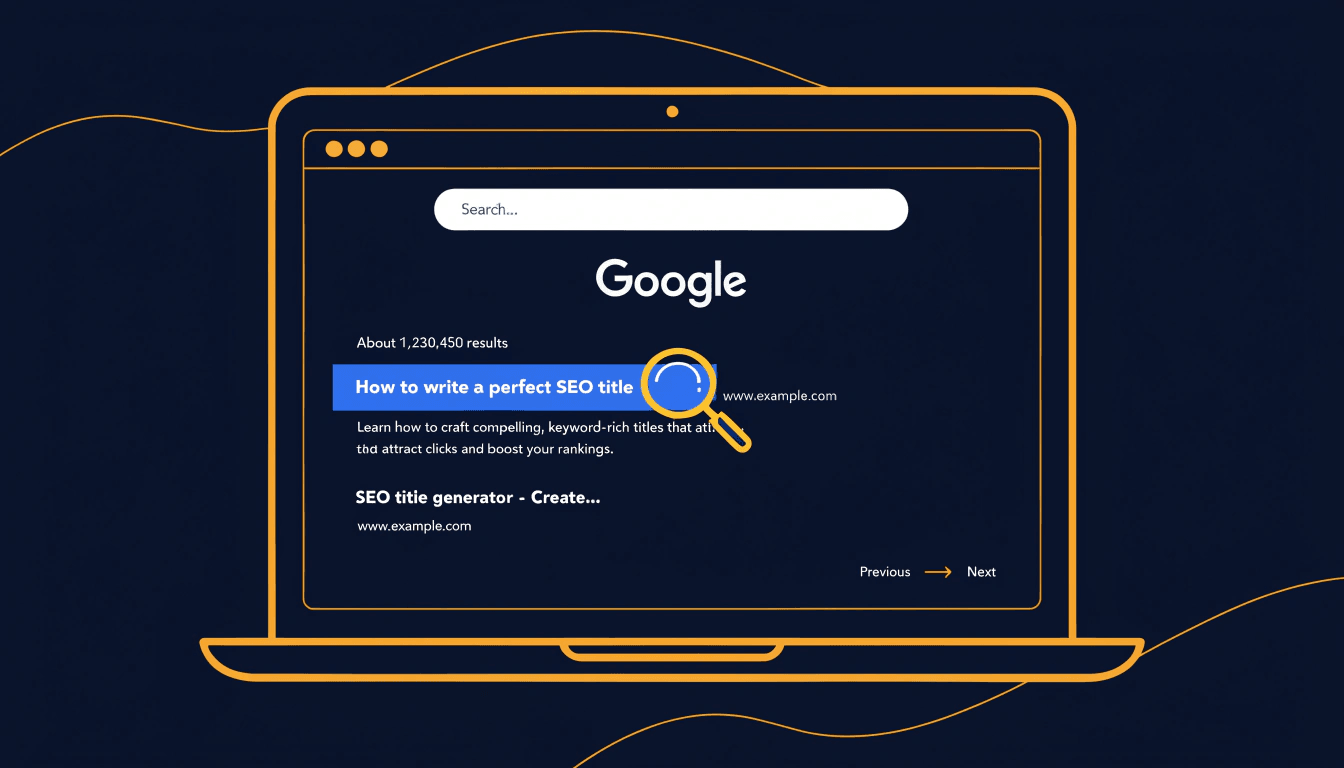
Most people building a website focus on their content, their design, and their keywords — and then treat the title tag as an afterthought. That's a mistake. Your title tag is often the very first thing a potential visitor sees, and it directly influences both your search rankings and whether anyone bothers to click through to your page at all.
This article is part of my small business guide to SEO.
This guide covers everything you need to know: what a title tag is, why it matters, how to write one well, and what to avoid.
What Is a Title Tag?
A title tag is an HTML element that specifies the title of a web page. It sits inside the <head> section of your page's code and looks like this:
<head>
  <title>Your Page Title Here</title>
</head>
Although it isn't visible on the page itself, it appears in several important places:
- Search engine results pages (SERPs) — as the clickable blue headline in a search result
- Browser tabs — as the text at the top of your browser tab
- Social media link previews — when someone shares your URL on LinkedIn, Facebook, or via messaging apps
- AI search responses — tools like Google's AI Overviews and ChatGPT increasingly cite pages using the title tag as the preview title
A quick note on terminology: you may hear title tags referred to as "meta titles." This is technically incorrect. Title tags are not meta tags — they're a distinct HTML element. The name "meta title" has stuck in common usage, but the two things are different.
Why Title Tags Matter for SEO
Title tags are one of the most important on-page SEO elements on your site. Here's why.
They help search engines understand your page. When Google crawls your site, it uses the title tag to assess what each page is about and whether it's relevant to a given search query. A clear, well-optimised title tag makes it easier for Google to match your page to the right searches.
They influence your click-through rate. Ranking on page one is only half the battle. If your title tag doesn't give people a compelling reason to click, they'll scroll straight past you — even if you're sitting at position one. A well-crafted title can meaningfully improve your click-through rate (CTR), which measures the percentage of people who saw your result and chose to click it.
They appear in AI search results. This is increasingly relevant in 2026. Tools like Google's AI Overviews and AI-powered search assistants cite sources by pulling from the title tag. A clear, descriptive title improves your chances of being surfaced as a cited source.
They're your first impression. Before anyone lands on your site, they see your title tag. Think of it as your headline — if it's vague, misleading, or cluttered with keywords, you've already lost the visitor.
Title Tags vs. H1 Headings — What's the Difference?
This is one of the most common points of confusion in SEO, and it's worth clearing up.
Your title tag is the HTML element in your page's <head> section. It appears in search results and browser tabs but not on the page itself.
Your H1 is the main visible heading on the page — the large text a reader sees when they arrive. It lives in the body of your content.
Both should include your target keyword, and they should be closely aligned in topic. But they don't need to be identical. Your title tag needs to work as a search result headline — concise, keyword-front, and click-worthy. Your H1 can be a little more expressive or detailed because the reader has already decided to visit.
For example:
- Title tag:
What Is a Title Tag? SEO Guide | SoNick Marketing - H1:
What Is a Title Tag? (And How to Write One That Actually Gets Clicks)
How Long Should a Title Tag Be?
The widely cited recommendation is to keep title tags under 60 characters, and that's solid practical advice — but the real limit is based on pixel width, not character count. Google has a fixed display width for title tags, and once your title exceeds it, the remainder gets replaced with an ellipsis.
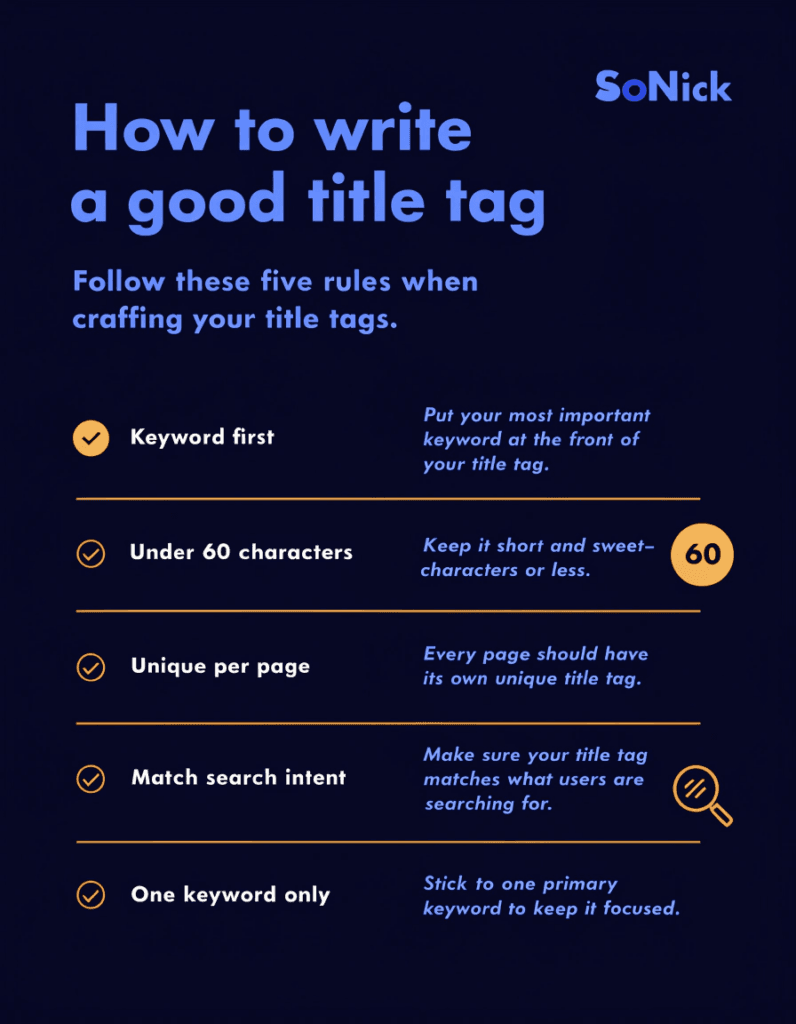
In practice, 50–60 characters is the sweet spot. This ensures your full title is visible on both desktop and mobile search results. Mobile screens truncate titles more aggressively, so keeping things concise is especially important given that the majority of searches now happen on mobile.
A few things to bear in mind:
- Wide characters like capital "W" and "M" take up more pixel space than narrow characters like "i" and "l"
- Google has confirmed there's no hard character limit — but what you can't see in the SERPs still counts for rankings, even if it's truncated
- Use a SERP snippet preview tool (more on that below) to check how your title looks before publishing
How to Write a Good Title Tag
Lead with your primary keyword
Place your target keyword at or near the beginning of the title tag. Search engines give more weight to words that appear early, and readers scanning a list of results are more likely to notice a keyword match when it's front-loaded.
Stick to one keyword
Title tags are short. Trying to cram in two or three keywords creates a cluttered, spammy-looking title that confuses both Google and the reader. Choose one primary keyword and build your title around it. You can naturally capture secondary keyword variations through the phrasing you use.
Make every title unique
Each page on your site should have a distinct title tag that accurately reflects the content of that specific page. Duplicate title tags are an SEO issue — they make it harder for Google to differentiate between your pages, and they risk cannibalising your own rankings. Generic or boilerplate titles like "Home" or "Services | Company Name" across multiple pages are a wasted opportunity.
Match search intent
Think about what someone typing your target keyword actually wants. Are they looking for a definition? A how-to guide? A comparison? Your title tag should signal that your page delivers exactly that. A mismatch between your title and your content leads to high bounce rates, which sends a negative signal to Google.
Include your brand name (usually at the end)
Adding your brand name to the end of the title tag — separated by a pipe or hyphen — is good practice for building recognition and trust in the SERPs. For example: What Is a Title Tag? | SoNick Marketing. On your homepage and key service pages, this is particularly valuable. For blog posts, you can sometimes drop the brand name if space is tight and the keyword needs room.
Write for humans, not just algorithms
The goal is a title that both ranks and gets clicked. Avoid mechanical, keyword-heavy phrasing. Use natural language, and where it fits, consider power words that create curiosity or signal clear value — words like "guide", "checklist", "mistakes to avoid", "how to", or specific numbers.
Good and Bad Title Tag Examples
Seeing the contrast in practice is often the fastest way to understand what works. Here's a comparison:
| Good Title Tags | Bad Title Tags |
|---|---|
What Is a Title Tag? SEO Guide for Beginners | Title Tag Info Page |
Local SEO for Plumbers: Get More Calls in 2026 | Plumbers SEO Plumbing SEO Local Plumber SEO |
How to Write a Meta Description That Gets Clicks | Welcome to Our Website! |
Web Design Packages for Small Businesses | Services |
Google Ads for Trades: Stop Wasting Budget | Ads Page |
Good title tags are specific, descriptive, and give the reader a clear reason to click. Bad title tags are vague, keyword-stuffed, or so generic they could apply to any page on the web.
Common Title Tag Mistakes to Avoid
Even experienced site owners fall into these traps:
Keyword stuffing. Repeating your keyword multiple times or cramming in several related terms makes your title look spammy. Google may rewrite it, and users will likely scroll past it. One keyword, used naturally.
Duplicate titles. Every page needs its own unique title. Duplicate tags confuse search engines and dilute your rankings.
Vague or generic titles. "Home Page", "Blog Post", or "About Us" tell Google nothing meaningful and give users no reason to click. Be specific about what the page contains.
Ignoring mobile truncation. If your title is 80 characters long, most mobile users will only see the first 50–55 characters. Put the important information first.
Misleading titles. If your title promises something your page doesn't deliver, users will bounce quickly. That's bad for your SEO and your reputation.
Why Google Sometimes Rewrites Your Title Tag
You've spent time crafting the perfect title tag — and then you notice Google is displaying something completely different in the search results. Why does this happen?
Google rewrites title tags when it decides the one you've provided doesn't accurately represent the page, or doesn't serve the searcher well. The most common triggers are:
- The title is too long and gets truncated
- The title doesn't reflect the actual content on the page
- The title is keyword-stuffed or appears spammy
- The title is too vague or generic
- The title doesn't match the search query well
When Google rewrites your tag, it typically pulls from your H1, a heading further down the page, or even your meta description. The fix is almost always to write a more accurate, specific, and concise title that genuinely reflects what's on the page.
It's worth noting that even when Google displays a rewritten version, your original title tag still influences rankings. It's just the display that changes — so it's still worth getting it right.
Tools for Previewing and Auditing Your Title Tags
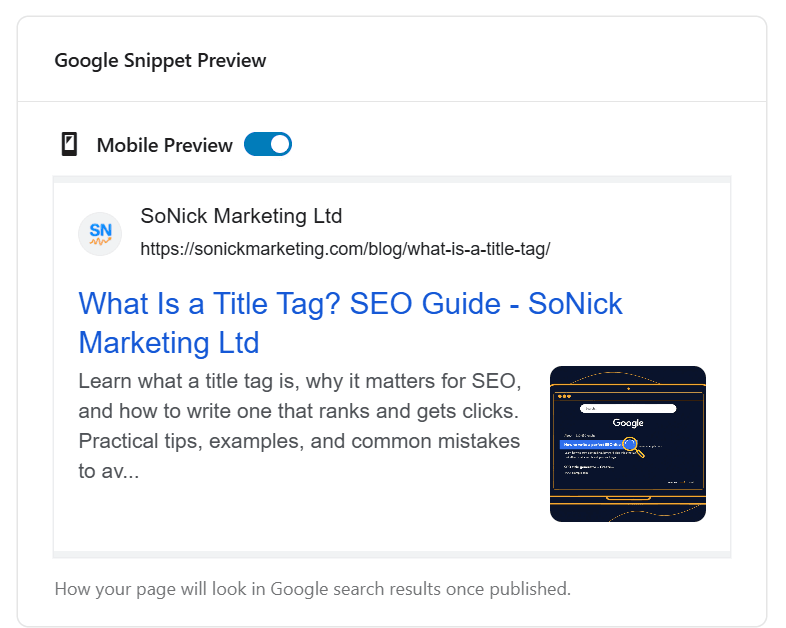
SEOPress (or your preferred SEO plugin). If you're using WordPress, your SEO plugin will have a snippet preview that shows how your title tag and meta description will appear in Google. Use it for every page and post before publishing. It's the fastest way to catch truncation issues.
Screaming Frog SEO Spider. This desktop tool crawls your entire website and pulls a report on every title tag — flagging duplicates, missing tags, and titles that are too long or too short. It's free for up to 500 URLs and invaluable for auditing an existing site. Download it at screamingfrog.co.uk.
Google Search Console. Once your pages are live and indexed, Search Console's Performance report shows you exactly how your titles are performing in the SERPs — including click-through rates for individual pages. If a well-ranked page has a low CTR, the title tag is usually the first thing to revisit.
Frequently Asked Questions
Is there a hard character limit for title tags? No. Google has confirmed there's no official character limit. The 60-character recommendation is based on what fits within Google's pixel-width display — anything longer may be truncated in the SERPs, though it still carries ranking weight.
Do title tags directly affect SEO rankings? Yes — they're a confirmed on-page ranking signal. They help Google understand what your page is about and match it to relevant queries. They also indirectly influence rankings through click-through rate: a compelling title drives more clicks, which sends positive signals to Google.
Do I need to include keywords in my title tag? Yes. Including your primary keyword in the title tag helps Google understand your page's relevance. Front-load the keyword where possible. Avoid keyword stuffing — one well-placed keyword is more effective than three crammed in.
Should I include my brand name? Generally yes, at the end of the title tag. For established brands, it builds recognition and trust in the SERPs. If space is very tight on a blog post, it can be omitted — but for service pages and your homepage, always include it.
How often should I update my title tags? Update them when there's a meaningful change to the page content, when your target keyword shifts, or when Search Console data shows a low CTR despite a decent ranking. Don't change them frequently without reason — consistent titles help search engines build an accurate picture of your pages.
Do title tags affect page loading speed? No. Title tags are tiny text elements that have no impact on loading performance.
Can title tags target voice search? Somewhat. Voice search queries tend to be longer and more conversational. Using natural, question-based phrasing in your title tag can help align your page with voice search intent — though the structured content of the page itself matters more for voice results.
Conclusion
Title tags are a small element with a disproportionately large impact on your SEO. Get them right and you're giving Google a clear signal about what your page is about while giving searchers a compelling reason to click. Get them wrong and even a well-optimised page can underperform.
The principles aren't complicated: keep them concise, lead with your keyword, make each one unique, and write for the human reader first. Check your titles in a snippet preview before publishing, monitor performance in Search Console, and update them whenever the data tells you to.
If you'd like to see how your site's title tags and on-page SEO are performing right now, run a free SEO audit — it takes under a minute and highlights the quick wins you can act on straight away.